TechnologyRemote care
What is the screen showing now? Live image and screen wall
AIO Hub fetches the current picture from the device or collects the last one it sent. Two routes that complement each other and do not do the same thing.
Kapaso solution: AIO Hub is made by the publisher of this magazine.
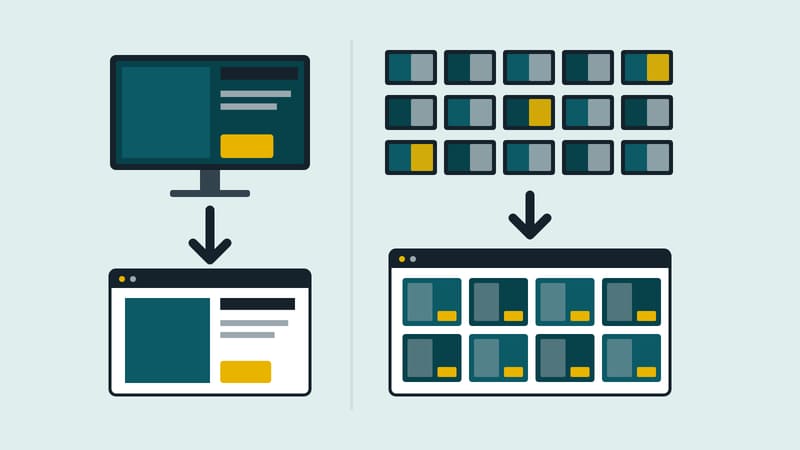
The screen in the branch is black, or it shows something that does not belong there. Anyone clarifying this remotely has two routes in AIO Hub, made by Kapaso, that complement each other.
The live image has a section of its own on the device page. It continuously shows what the device is displaying right now, at an interval of 2, 5 or 15 seconds; 5 is the default. "Pause" freezes the picture. It pauses by itself as soon as the section is collapsed or scrolled out of view. The images go directly from the device to the browser, so the live image exists only for AIO and Windows players with a known IP address, and only when the hub is opened without encryption, such as from the app or on your own network. On a hub with HTTPS the section is missing on purpose: the browser would discard the images.
The screen wall is the menu item "Screens". There, each device shows the screenshot it sent last. The device sends it by itself, so the wall also works behind someone else's connection. There is no history. Here too only AIO and Windows players deliver pictures; e-paper signs are listed separately and are not counted as failed. The function is enabled per company, with a selectable interval.
The live image fetches; the wall collects what the device has sent. For one fault the live image helps, for many devices the wall.
Details of the software are at aio-hub.de.