WorkplaceLegibility
Legible from a distance: contrast, type and dwell time
What looks good on the monitor at the desk is often unreadable at the entrance. A yardstick for contrast and three rules of thumb for the display.
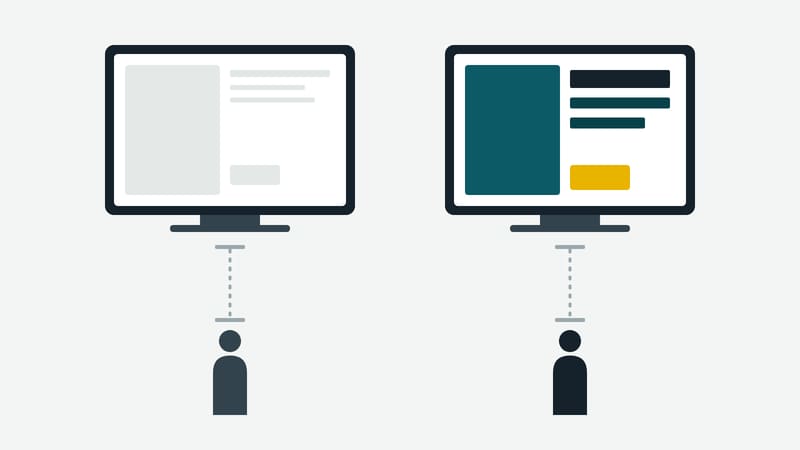
Design happens at the desk, reading happens at the wall, and between them lie two to ten metres. That is why delicate greys, small type and fine lines look good in the draft and disappear on site. Three quantities decide legibility: contrast, type size and the time someone looks.
Contrast: a measurable value
Contrast need not be judged by feel alone. The World Wide Web Consortium's WCAG 2.2, success criterion 1.4.3, requires a contrast ratio of at least 4.5 to 1 between text and background for normal text, and at least 3 to 1 for large text. Text counts as large from 18 point, or from 14 point bold; that corresponds to roughly 24 and 18.5 pixels. The figures come from the WCAG "Understanding" document, retrieved on 3 October 2026.
One qualification belongs here: WCAG governs web content. A screen in a lobby is not one. The yardstick can still be used, because it describes how much difference in brightness an eye needs for good legibility. Anyone who keeps to it is on the safe side. That WCAG does not demand this for screens in rooms is a statement by this editorial team, not by WCAG.
For checking there are contrast calculators that work out the ratio from two colour values. Entering the text colour and the background colour is enough. It matters not to check just one spot: text on a photo, on a gradient or on a semi-transparent area has a different contrast at every point.
Type size: think from the distance
The type must be large enough to be legible from the distance at which someone really looks. This article gives no binding table, because such values are found in standards and vary with the use. Practice knows three rules of thumb:
- Start from the distance. Whoever knows the audience's distance tests on site with a sample image. What cannot be read effortlessly is too small.
- One hierarchy instead of many sizes. One heading, one main statement, one small line for details. More levels confuse at a distance.
- Strong weights. Thin typefaces become unreadable first with distance and backlight. Regular and semi-bold weights carry further.
Dwell time: an image has to be readable in the time it stays
Content must stay long enough for someone who only looks in the middle of it to read it. Too short a time means half the people see only the change. As a guide: if you can read the text aloud before the image changes, you have a minimum time. A reserve is added, because nobody looks at the first frame. The more text, the longer the time; the less, the less time it needs. Usually it is better to cut the amount of text than to raise the time.
A short test before launch
A test on site takes five minutes and reveals most of it:
- The sample image is viewed from the usual viewing distance, in daylight and in artificial light.
- A second person reads the main statement aloud without knowing beforehand what it says.
- The image is photographed and converted to greyscale. What can no longer be told apart there has too little difference in brightness.
The third test is unassuming and helpful. Colour differences without a brightness difference, such as red on green or orange on pink, stand out at once in the greyscale image. They also cause problems for people who distinguish colours less well.
What does not belong in the corner
Important notes at the edge of the picture are covered by frames and wall mounts. Notes about emergency exits or operation belong in the centre or the upper half; in a crowd the lower half is often behind heads.
In brief
Contrast is measured, type is checked at distance, time is set by the text. Anyone who does this once on a sample image can carry the experience over to all further content. This magazine is published by Kapaso GmbH; the article refers to no product.