Read and put in contextWorkplaceSituational signage
Situational signage in the lobby: what operators should ask
A vendor announces screens that take their surroundings into account. For IT and facility managers what counts is which data flows and who is responsible for it.
What happened
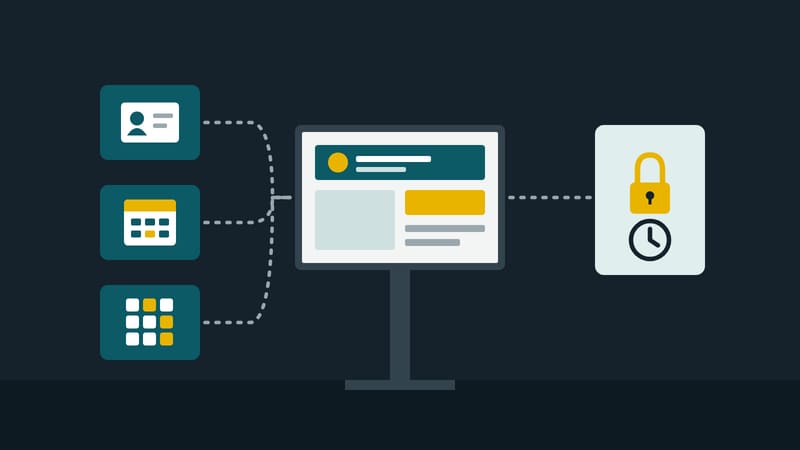
The trade medium invidis reports on an announcement by the vendor Appspace for workplaces. Under the name “situational signage”, screens are to recognise what is happening around them and adapt content accordingly. Occupancy, visitor numbers and room bookings are named. According to the article the accompanying platform is to join intranet, visitor management, room booking, internal communication and digital signage in one framework. One example from the article (our translation from the German):
“A lobby display could, for example, automatically show visitor information as soon as guests arrive.”
We put this in context below. The article describes an announcement; what the vendor promises is the subject of the report and is not assessed here.
What this means for screen operators
Situational display means the content depends on data that does not live in the screen. Until now much is governed by location, device group and schedule. If content is derived from check-in, room booking or occupancy, the screen becomes the output device of several other systems. According to the vendor, as the article reports, such data usually already exists in companies but is spread across separate systems. That is the real work: it lies in the interfaces, not in the screen.
What operators can ask any supplier (editors' judgement, not a statement of the source):
- Data sources. Which systems deliver data, by which route, how often? Which data stays in-house, which goes to a service of the supplier?
- Personal data. Does the screen show names of visitors, companies or hosts? A name in the lobby is visible to everyone passing. Check with the data protection officer whether a first name, a company or just a short code is enough and how long a display stays up. This article is not legal advice.
- Sensors. Whether occupancy is detected from booking data, door counters or sensors makes a difference under data protection law. The article says nothing on this.
- Fallback. What does the screen show when the room booking does not answer or an appointment is missing? An empty area or an outdated name at the entrance is worse than a neutral welcome.
- Upkeep. Who sets the rules by which data becomes content, and who changes them? Rules only one person understands are an operating risk.
- Failure and log. What appears in a network outage? Where can one trace why a given content ran at a given time?
- Co-determination. If employee data is processed, the works council belongs at the table early.
What the source does not say: the article gives no availability date, no prices, technical details or customers. It says nothing on data protection. How well detection works day to day cannot be read from an announcement.
One tip for starting (editors' judgement): begin with a single data source and harmless content, for example a welcome display without names, and only then allow personal data.
This magazine is published by Kapaso GmbH, which develops software for such screens. The article describes general practice and refers to no product.