WorkplaceKey figures
Power BI reports reach the screen without an employee account
In AIO Hub the server signs in to Microsoft as an application, not a person at the screen. The prerequisite is a capacity on the Power BI workspace.
Kapaso solution: AIO Hub is made by the publisher of this magazine.
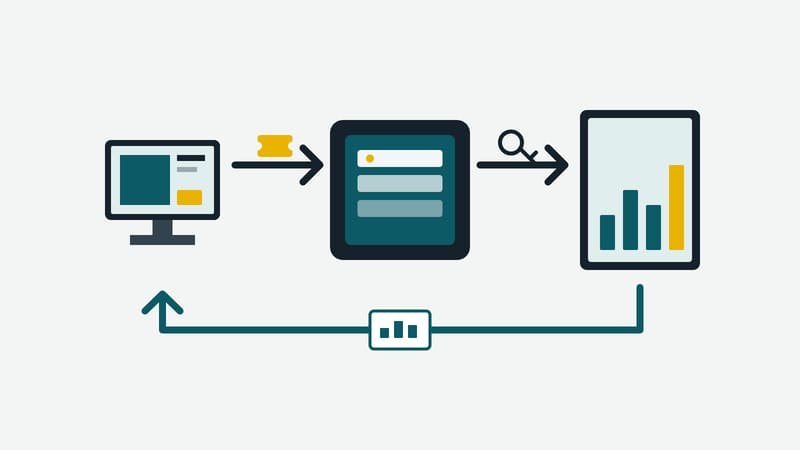
Key figures in production, in the warehouse or in sales belong where the work happens. In practice this often looks as follows: a computer behind the screen, running a browser in which someone has signed in to Power BI with their own account. At some point the session expires and the screen shows a sign-in form, and for as long as the session is valid a personal account is attached to a device everyone walks past.
AIO Hub from Kapaso, a digital signage CMS, takes a different route. Its editor, Stage Builder, has included a "Power BI" element since version 3.9 of August 2026.
The server signs in, not the screen
The hub server signs in to Microsoft as an application, through a service principal in Microsoft Entra ID. No employee account is involved. The screen itself receives no credentials. It carries an encrypted ticket naming the company, workspace and report, and uses it to obtain from the hub the token for exactly that report. For this the hub contacts Microsoft at most once per report and hour.
The report is built in Power BI as usual. Setup in the hub has two parts:
- Once per company: the operator of the hub enters the application's tenant ID, client ID and secret. In the Fabric admin portal the setting "Service principals can call Fabric public APIs" has to be enabled.
- Per display: anyone allowed to work in the editor selects workspace, report and page for their own company and places the element on the stage like any other.
The element is not part of the editor's cautious default set. It shows business figures and is therefore enabled separately per role.
"Key figures do their work where people see them, not in the report. It is often revealing to ask which figure a company would rather not put on the wall."
That is how Mohammad Kabiri Hamedani, managing director of Kapaso GmbH, puts it.
How current the figures are
The screen reloads the report at intervals. The default is 30 minutes, the minimum five. The old report stays in place until the new one has been fully drawn, so that no black frame appears. How fresh the data in the report is remains a matter for Power BI, that is, the refresh schedule or direct query of the data model. The display is not "live" in the sense of to-the-second.
Where the limits are
The most important prerequisite lies with Microsoft. Without a capacity on the workspace (Fabric F SKU, Premium or Embedded A SKU), Microsoft shows the screen no image. A Power BI Pro licence alone is not enough. No licence per screen is needed, but the capacity is a recurring cost that should be settled before the project starts.
There is no per-viewer protection at the screen. Whoever stands in front of it sees the report. Which page and which figures may go on the wall is therefore a decision to take before publishing. As an emergency exit, access can be switched off per company; after that, no screen of that company shows a report.
If the application's secret expires, the hub can no longer obtain a token until it is renewed. The screen also has to be able to reach both the hub and Microsoft. Power BI is a service from a US provider; a company that keeps its reports there has already made that choice, but it belongs in the project's data protection assessment.
The element is available in AIO Hub on a server, not in the Android edition of the hub and not in the standalone version of Stage Builder.