Health and public servicesHow-to
The queue number moves to the phone: push, SMS and WhatsApp compared
People who need not sit in the waiting room wait more calmly. Three ways to reach visitors when they are called, and what each one requires.
Kapaso solution: KAS Control is made by the publisher of this magazine.
Many waiting areas run on an unspoken rule: leave the room and you miss your call. So everyone stays seated, even with twenty numbers ahead of them. A queue system that puts the number on the phone removes that rule. This overview shows how it is done in KAS Control, the queue system made by Kapaso.
Getting onto the phone
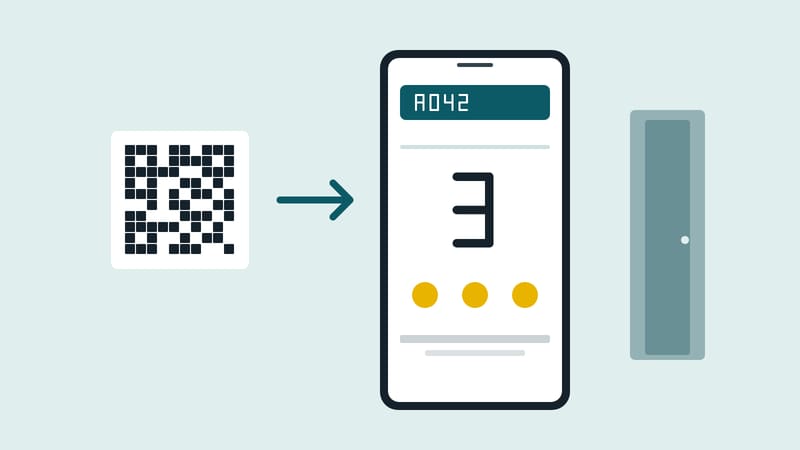
The ticket from the kiosk and the wall display both carry a QR code. Opening it with the camera leads to a view in the browser. No app is installed and no account is created. If the kiosk or the printer fails, visitors take their number on their own phone using the code on the wall display.
What the phone shows
The number of people still ahead is shown large. It is the most dependable figure, because it is counted and not estimated. An approximate waiting time is added and, where one has been stored, a floor plan of the waiting area.
Three routes, three requirements
When the call comes, the phone should make itself heard even from a pocket. There are three ways to do that:
- Browser push. Costs nothing and arrives at once. On Android the alert comes through even with the browser closed. On an iPhone it only works after the page has been added to the home screen. That is the step where visitors most often need help.
- SMS. Reaches any phone, even without mobile data. Messages go out through an SMS service or the operator's own interface and are charged by usage.
- WhatsApp. Reaches everyone who already uses it. The operator needs a WhatsApp Business account; here too, costs depend on usage.
Push is the default. SMS and WhatsApp are worth it where many visitors have older phones or will not take the extra step on an iPhone.
Who sees the phone number
Push needs no phone number. For SMS and WhatsApp, visitors enter it themselves on their own device, and only if they choose to. It is not asked for at the kiosk and not noted down by staff. The operator can set personal details to be deleted when the visit is completed; reporting is unaffected because it works without personal data. By default the details are kept. Anyone who does not need them should change the setting.
Points for day-to-day operation
- Show the QR code where people wait. On the wall display it also helps those who have already pocketed their ticket.
- Explain the iPhone step. One sentence at the kiosk or on the ticket is enough.
- Decide whether SMS is needed. Push is free; every SMS costs money.
- Set up deletion. What is not stored does not have to be protected.
If the system runs on a server of its own with no internet connection, the kiosk, the wall display and the calls keep working. SMS and WhatsApp drop out, since both need a route to the outside.
One limit remains: people without a smartphone wait as before, ticket in hand, watching the display and listening for the announcement. A call to the phone does not replace the wall display. It adds to it.
More details are available at kascms.de.
DS Content kompakt
The magazine’s newsletter: three articles and one practical tip, by email about every two weeks.