WorkplaceReception
What belongs on a reception screen, and what does not
Visitors glance at it and wait. A selection of content that works in that situation, and a list of what does not belong there.
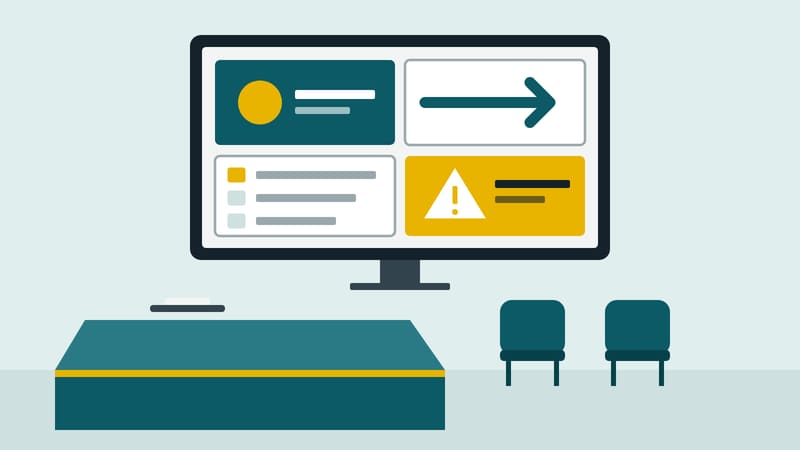
Anyone standing at reception does not know the building. They want to know whether they are in the right place, where to go and how long it will take. A screen can answer those three questions. Usually it does not, because it plays the image film on a loop that someone shot years ago for a trade fair.
Who is standing in front of the screen
Several groups meet at reception: visitors with an appointment, suppliers, applicants, tradespeople, and now and then employees waiting for a guest. What they share is that they stand or sit in an armchair, have little time and no way to operate anything. Content therefore has to work without explanation and be graspable in a few seconds. Anything that demands concentration will not be read.
What works well
Welcome and orientation. The company name, a friendly sentence and a note on what happens next, such as "Please check in at the desk". It sounds trivial and is nonetheless the content most people need.
Wayfinding. Anyone who has to reach a department in the building needs arrows, floor numbers and room names. A screen can follow when departments move, without a sign being reprinted.
The day in the building. Events, training sessions and meetings of the day, as far as they matter to visitors. A list with room and time saves reception many questions.
Practical details. Access data for a guest network, ideally as a code that can be photographed, and notes on the cloakroom, parking and visitor badges.
House rules and safety. Behaviour in an alarm and escape routes can be shown in addition. A screen does not replace the safety signage required in the building; what is binding is a matter for the safety officer.
News in moderation. An award, a new branch, a product. One or two items of this kind are enough; more dilutes the information somebody actually needs.
What does not belong there
- Internal figures. Turnover, order books, sickness rates and production scrap are meant for employees. At reception everyone sees them.
- Personal data without need. Showing a visitor's name on the screen so that they feel welcome is a decision with data protection consequences. It should be made deliberately, with the knowledge of those concerned and after consulting the data protection officer. This article is not legal advice.
- Sound nobody asked for. Videos with sound in a room where people talk and phone are a nuisance. Without sound and with subtitles they stay unobtrusive.
- Out-of-date content. The invitation to the Christmas party in February, or the building site that has been finished for months, tells visitors that nobody is looking.
- Text of running-prose length. Anyone who has to read three paragraphs will read none.
Upkeep decides
A reception screen goes stale fastest because its content is tied to dates. Two habits help. First, every time-bound item gets an expiry date when it is created, not when someone notices the slip; most playlist systems offer date ranges for this. Second, the screen has a named person who looks at it every week. That takes two minutes and still gets skipped when responsibility sits with "IT" or "marketing".
A simple order of priority
Anyone unsure what should go on the screen can ask what a visitor needs in the first thirty seconds. First comes what tells them they are in the right place and what happens next. Then comes what helps them move around the building. Only after that comes what the company wants to say about itself. The playing time can be split in the same order: the first two groups get the larger share, self-presentation the rest.
This magazine is published by Kapaso GmbH, which develops software for such screens. The article describes general practice and refers to no product.
DS Content kompakt
The magazine’s newsletter: three articles and one practical tip, by email about every two weeks.