Read and put in contextTechnologySoC or media PC
Digital signage player SoC or media PC: what to check
A commentary on invidis calls displays with a built-in player the rational choice. That is one position. Operators check what they need in operation, whatever the position.
What happened
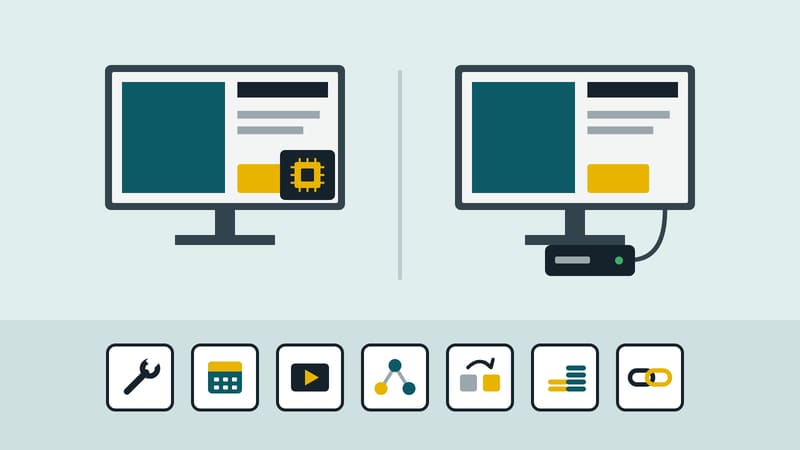
The trade medium invidis published a commentary. It is an opinion piece, not a study: the author Florian Rotberg holds the position that, for digital signage players, the SoC, meaning the computer built into the display, is the sensible choice for most installations. His reasons are a benchmark in which an SoC for the first time drew level with a current Windows PC, with LG's WebOS.9 platform passing the tests without errors, rising memory prices in 2026 that make external media PCs dearer, and growing market share for SoC platforms. He still sees Windows players for demanding video processing, computer vision, complex multi-screen setups and in corporations with a uniform PC platform.
The commentary closes with this (our translation from the German):
“For the great majority of everyday signage installations, SoC has become the rational choice rather than the budget option.”
That is the author's assessment. The commentary gives no figures on prices, update periods or failure rates; it touches on management and supplier lock-in only in passing.
What this means for screen operators
The position is an argument, not a finding. What the benchmark measures is not stated in the version we read. A tie there says little about whether your content runs cleanly on your display. So, whoever is right, check seven points yourself. The order is the editors' judgement.
- Serviceability. Who replaces a faulty part, and what is lost when it fails? With a built-in player the whole device may be replaced; with an external box only the box.
- Update period. Until when does the manufacturer supply security and system updates for exactly this model, in writing? This applies to both designs and relates to duties under the Cyber Resilience Act. This article is not legal advice.
- Video formats. Does the device play your codecs, resolutions and frame rates without stutter, with all zones at once? Test with your real content on one device, not with the data sheet.
- Remote management. Can the device be restarted, updated and monitored without a visit, and with which management system? The commentary does not go into this.
- Replacement. How fast can an identical device be delivered, and can the configuration be transferred?
- Total cost. Calculate over the planned lifetime: purchase, power, site visits, replacement. The commentary gives no amounts; your own figures belong in your calculation.
- Supplier lock-in. To whom are you tied if player and display are bought together? Ask whether content and management can move to other devices.
Where the answer tips in a single case. The commentary itself names video processing, interaction and corporate IT as counter-examples. In addition, whoever runs many sites often gains more from identical devices than from the individual design. That, too, is the editors' judgement.
A practical route. Pick two or three sites, run your heaviest playlist on them and note failures, restarts and interventions for four weeks. Then the question can be answered with your own data.
This magazine is published by Kapaso GmbH, which develops software for such screens. The article describes general practice and refers to no product.