TechnologyIT security
Eight BSI tips, applied to the media player
A player is a connected device like many others. The German federal office's advice for connected devices fits almost word for word.
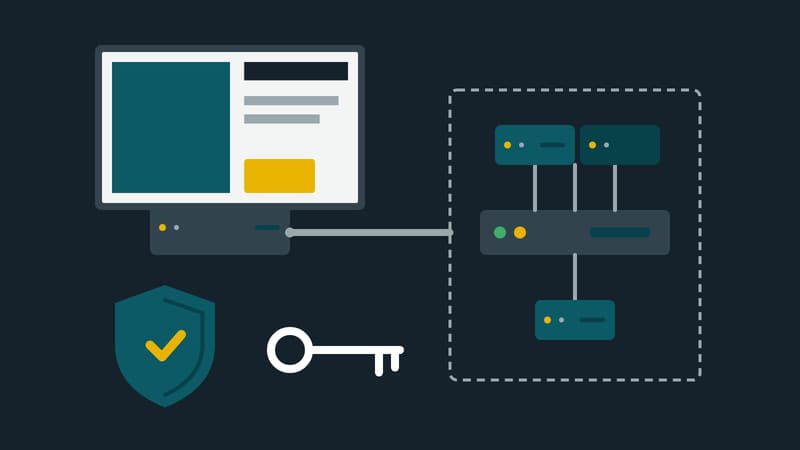
A media player is a small computer with a network connection that hangs unattended behind a screen. From a security point of view little separates it from a connected camera or a smart TV. Germany's Federal Office for Information Security (BSI) has compiled eight tips for such devices. The brochure is aimed at private households. The rules can nevertheless be transferred to screen networks almost word for word; the transfer below is the editors' own reading.
1. Install updates
The BSI advises updating software as soon as security updates are available, and checking before purchase that the manufacturer will provide updates over the device's expected period of use. For players this means the update path has to be clear. Does it reach all devices from the management software, or does someone have to visit every screen with a USB stick?
2. Change default passwords
Preset passwords should be changed; a password manager and, where possible, two-factor authentication are recommended. With players this concerns two places: the device's own settings page and the management software that controls the whole network. A device shipped with the same password as a hundred identical ones is open to anyone who knows the manual.
3. Switch on the firewall
The BSI names the router's firewall. In a business setting the equivalent is the rule that a player does not need to be reachable from the internet. It fetches its content itself and needs no incoming connections for that.
4. Encrypt, and connect to the internet only when needed
Communication should be encrypted, and devices should be connected to the internet only where remote access is necessary. A player usually needs a connection to exactly one destination: its management server. Everything else can be blocked.
5. VPN for access from outside
Anyone who wants to reach devices on their own network from outside should use a VPN where possible. That also applies to the service provider who maintains a player remotely.
6. A separate network for the devices
The BSI recommends a separate Wi-Fi network for connected devices. In a company this means a dedicated network segment for screens, separate from tills, offices and guest Wi-Fi. The industry standard OpenRTB notes that most commercial advertising screens sit on walled-off private networks, precisely to protect them from attacks.
7. No physical access for third parties
A player with freely accessible USB ports behind a stand in a shopping centre is an open computer. Covers, housings and disabled ports belong in the planning, not in a retrofit.
8. Know what data the device passes on
The BSI advises being aware of what data a device transmits to third parties. With screens this mainly concerns sensors, cameras and embedded web pages.
Built into the definition
That a screen in a public place has to be protected is even written into EU law. The energy labelling regulation lists, among the features of a digital signage display, a function that disables unauthorised access to the settings and the displayed image. A device without such protection is, by that definition, not a signage display.
For existing installations a list with four columns is enough: device, software version, password changed, network segment. Wherever a column stays empty, that is where the work is.