TechnologyDisplays
Nits, 16/7, 24/7: two data sheet lines that decide
Brightness and rated operating hours appear on every professional display's data sheet. What the figures mean and how to read them.
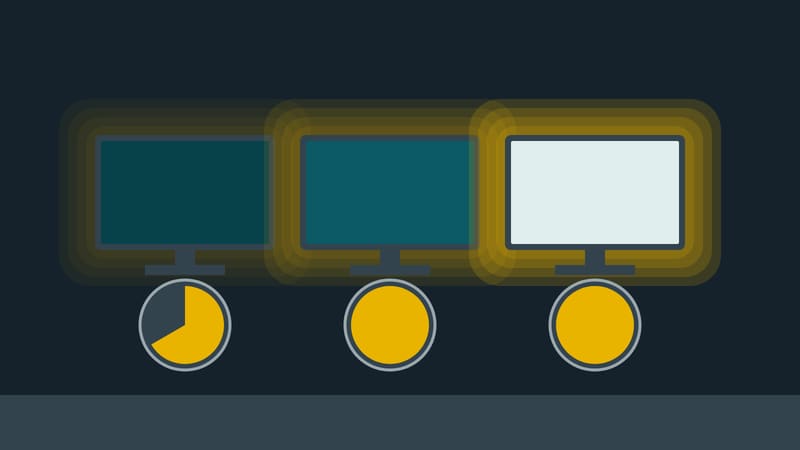
Anyone choosing a display for commercial use tends to look at size and resolution first. Two other lines on the data sheet decide whether the device is fit for its intended place: brightness and rated operating hours.
What a nit is
The brightness of a screen is given as luminance, in candela per square metre (cd/m²). The candela is the SI base unit of luminous intensity. Data sheets almost always use the shorter word "nit" instead of cd/m²; it means the same thing. One nit is one candela per square metre.
The figure says how much light the screen surface emits. It does not say how well the picture can be seen. That depends on ambient light: a screen that dazzles in a windowless corridor looks pale behind a shop window in the midday sun.
Three classes, one manufacturer
Three data sheets from the same large manufacturer show how far apart the device classes are.
- A series for indoor use lists a typical brightness of 350 nits and operating hours of 16/7.
- A series above it lists 500 nits and 24/7.
- A series for shop windows lists 4,000 nits and 24/7, plus dust protection (IP5X) and brightness control via an ambient light sensor.
Between the first and the third device lies a factor of more than eleven. According to their data sheets all three are approved for landscape and portrait; that too has its own line and is not a given for every device.
What 16/7 and 24/7 mean
The figure gives the hours per day and days per week for which the manufacturer has designed the device. 16/7 means up to 16 hours daily. 24/7 means continuous operation. A shop open from 8 a.m. to 8 p.m. is fine with 16/7. A screen in a railway station, an emergency department or a shop window that is meant to stay lit at night needs 24/7.
The figure is a manufacturer's rating, not a value measured against a standard. What happens when a 16/7 device runs around the clock is governed by that manufacturer's warranty terms. Reading them is worthwhile before buying, not after a failure.
A threshold in EU law
Brightness has a legal side as well. The EU regulation on energy labelling of electronic displays exempts digital signage displays with a peak white luminance of 1,000 cd/m² or more from the label. Someone buying a very bright shop-window device may therefore find no energy label and has to look for power consumption on the data sheet.
Four questions before ordering
- Where will the screen hang? Indoors without direct daylight, in a bright sales area, or behind glass facing the street?
- How many hours a day should it run, and on how many days?
- Does the device adjust its own brightness, or does it shine as strongly at night as at noon?
- Is the desired orientation approved, meaning portrait is explicitly listed?
The answers point to the right device class. Choose too low and the picture stays pale or the warranty is in doubt. Choose too high and the operator pays, at purchase and on the electricity bill, for headroom nobody sees.