Market and DOOHProof of play
Viewing a campaign without turning it into a billable play
The Web Player separates the operating link from the preview link. Only the first reports what has played.
Kapaso solution: Web Player is made by the publisher of this magazine.
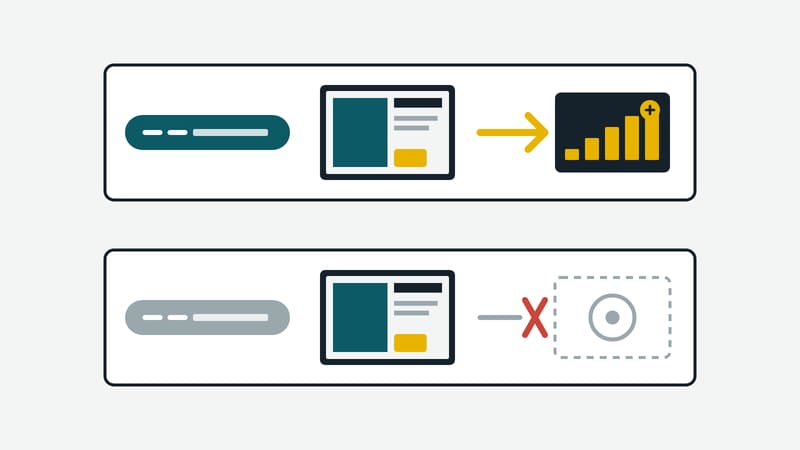
In DOOH Hub, Kapaso's advertising portal, the invoice is built from the proof of play. Every report from a player counts. That raises a practical question: how does a network show an advertiser the running campaign without the viewing itself being booked as a play?
The manufacturer's Web Player, a player that runs in the browser, handles this with two links per player. The operating link is meant for the screen on site. It plays the playlist and reports what has run, for booked advertising with the duration it really played. It does not report filler content. The preview link shows the same thing and reports nothing.
The two links can be blocked and regenerated separately, for instance after a device has been replaced. A blocked link then shows nothing.
For the operating link there is one more point: if the site is offline, the browser collects the reports for up to seven days and delivers them later. They are deleted only once receipt has been confirmed. The player list shows how many reports are still outstanding.
Details of the player are at aio-hub.de/en/web-player.