WorkplaceChecklist
Checklist before rolling out ten screens
Ten screens are no longer a pilot and not yet a fleet. What should be settled before the start: site, network, devices, content, permissions and operations.
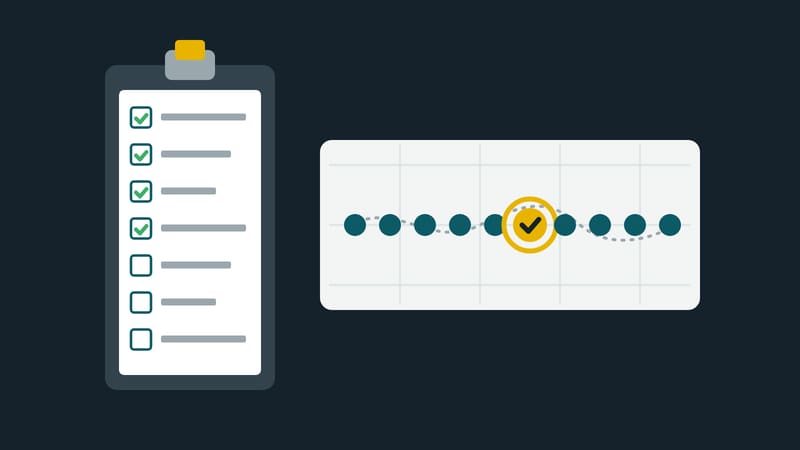
A screen can still be adjusted after it is mounted. With ten, every correction becomes ten trips, and mistakes that appear on all of them show up on opening day. This article is a list in seven sections to work through before the start. Ten is an example of the size from which order pays off, not a threshold.
1. Purpose and responsibility
- Is there a sentence saying what the screens are for and how you will know it works?
- Is one person named as responsible, and is there a deputy?
- Who decides about content, who about technology? Are these two names or one?
- Is it settled what happens on a failure and who is called then?
2. Sites
- Is there a photo of the wall, a measurement and a mounting point for every site?
- Has visibility been checked: viewing angle, distance, backlight, reflections?
- Are power and a network connection available at the mounting location, not just nearby?
- Has permission for drilling, façades and shop windows been obtained where needed?
3. Network
- Does every site have internet, and is the connection designed for continuous operation?
- Do the devices at the mounting location reach the management system? Best checked with a test device on the same connection.
- Have firewall releases been requested and confirmed?
- Is the volume of the first transfer known and the line planned for it?
4. Devices
- Are all devices equipped alike, or are differences documented?
- Is the displays' power-saving mode switched off?
- Are clock and time zone checked, and does each device restart by itself after a power cut?
- Does every device have a name with its location, and are the credentials stored safely instead of on a slip of paper at the device?
- Is there at least one spare device on site or within short reach?
5. Content
- Does every screen have a playlist, and has it been seen both at the desk and on site?
- Do the format and resolution of the files match the screens, with portrait and landscape kept apart?
- Are videos in a format that all device types can show? One trial run per device type is enough.
- Does every time-bound item have an end date?
- Is there a fallback item that runs when nothing else is planned?
6. Permissions and procedures
- Who may create content, who may put it into playlists, who may manage devices? Are those separate permissions?
- Is there an approval route for content that many people see?
- Is access for service providers and agencies time-limited and restricted to their area?
- Is there a page at hand explaining how to change an item?
7. Operations and acceptance
- Does the system report when a device fails, and who receives the message?
- Is there a way to see remotely what a device is showing, or a contact on site who can send a photo?
- Has a pilot run, with one or two devices, for a few days under real conditions?
- Are the pilot's faults fixed before the rest goes live?
- Is a date set for the first review?
How to use the list
The questions are worded so that the answer is yes or no. Every no is a task, and every task gets a name and a date. Anyone reading the list before ordering saves money, because some answers affect the choice of devices. Anyone reading it after mounting finds mistakes that can still be fixed.
The order of the roll-out
Ten devices are not put into operation in a single day. A sequence in three stages has proved its worth: one pilot device at the most important site, then two or three more devices under different conditions, and only then the rest. At each stage the same list is checked again, and what the pilot has shown goes into the next stage.
The documentation grows along: a spreadsheet with device, site, responsible person, access and commissioning helps at the next fault more than any manual.
This magazine is published by Kapaso GmbH; the article describes general practice and refers to no product.
DS Content kompakt
The magazine’s newsletter: three articles and one practical tip, by email about every two weeks.