RetailScreen layout
One screen, several areas: how zones are built
Video at the top, ticker at the bottom, clock in the corner: a multizone playlist divides the screen into areas with their own editors. Structure, pitfalls and a rule of thumb.
Kapaso solution: AIO Hub is made by the publisher of this magazine.
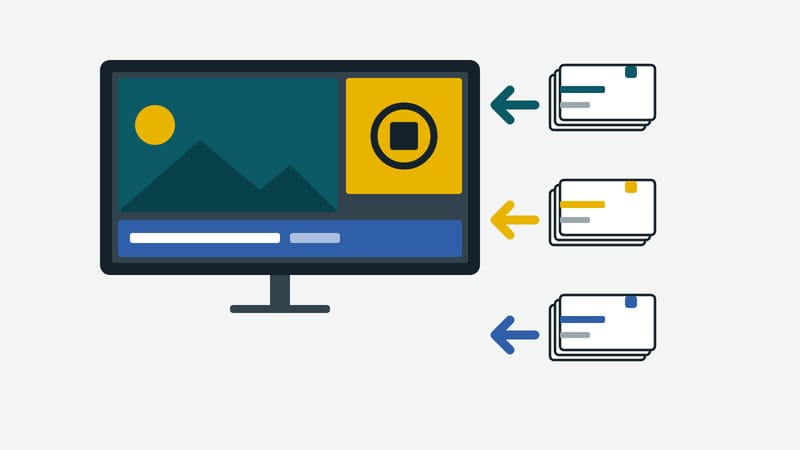
A screen in an entrance area should show a video, below it a ticker line with notices and in the corner the time. You can design that as a single image and rebuild everything with every change. Or you divide the screen into areas that run and are maintained independently. In AIO Hub, made by Kapaso, this is called multizone.
How a multizone is built
Under Playlists, a new playlist of the type multizone is created. The zone editor opens with a canvas. Its resolution is preset to 1920 × 1080 and can be given in pixels or in percent. With "Add zone" a rectangle is drawn on the stage and sized with the handles. Each zone has a name, position, size, layer and background. Helpful extras are aspect ratios as chips, such as 16:9 and 9:16, and the option to adopt the layout of another multizone.
Then each zone gets a master playlist. That is the real idea: the area at the top has a playlist of videos, the strip at the bottom one with short notices, the corner one with the clock. Each playlist can be changed without touching the others. A zone without a playlist cannot be saved; the program reports it as an error.
There is also a background zone: one button creates a zone over the whole canvas on layer 0, once per multizone. No other zone then lies beneath it. It suits a background that stays under everything.
Zones and time
Zones have no schedule and no time trigger of their own. What runs in a zone and when is controlled by the playlist inside the zone. Anyone who wants a different video in the main area in the morning sets the time window on the entry of the playlist there. The division of the area stays stable. That is practical, because the layout is built once and not rethought for every time of day.
Three pitfalls
There is no multizone inside a multizone. A zone takes only a master playlist. Anyone who wants to nest builds the master playlist so that it inserts other playlists internally instead.
The zone editor does not save by itself. Unlike the master editor, "Save" has to be pressed explicitly here. It is worth getting used to, otherwise a half-finished layout stays in the editor while the screen still shows the old one.
Percent or pixels. The canvas allows both. For the AIO Player the server converts percentages into pixels of the canvas itself; anyone mixing different devices should check the layout on the target device and not only in the preview. The hub preview shows the whole multizone, and each zone carries a label with its name there.
A rule of thumb for the number of zones
More zones mean more editors and less area per section. In this editorial team's view, three to four areas are the limit beyond which type and images in the individual zones become too small to read from a distance. That is not a limit of the software but an experience with legibility. Anyone needing more areas should check whether a second screen makes more sense.
Who maintains what
The biggest advantage of a multizone is organisational. The marketing department maintains the video, branch management the price line, building services the notices. Each group works in its own playlist. The sharing has to fit: whoever is to maintain a playlist needs access to exactly that one.
When it pays off
A multizone pays off when at least two parts of a screen are maintained at different frequencies or by different people. If everything comes from one hand and changes together, a single designed image is simpler. The effort for the first build is small, but it demands discipline with the playlists: each zone needs its own, and each should be named so that you know later where it belongs.
Details of the software are at aio-hub.de.