WorkplaceHow-to
The shift rota from Excel is on the screen without anyone exporting it
Word, Excel and PowerPoint files become PDFs on upload. What happens, where it does not work, and how the file stays current.
Kapaso solution: AIO Hub is made by the publisher of this magazine.
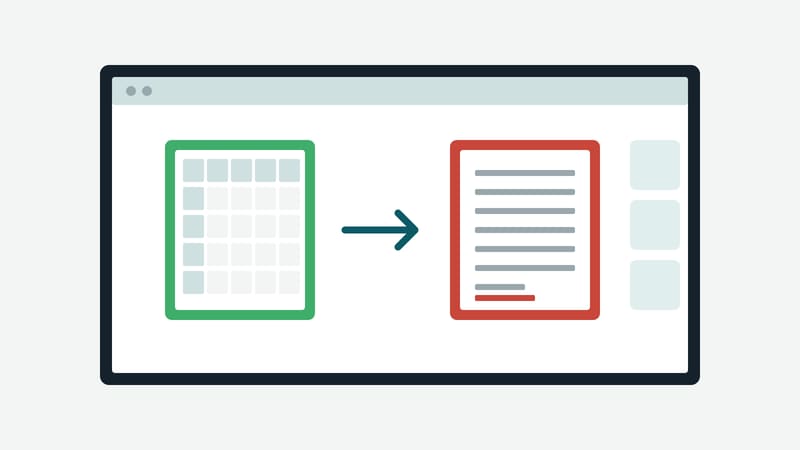
The shift rota is an Excel sheet. The canteen menu is a Word document. The sales slide for the monthly meeting is PowerPoint. In offices and on shop floors, almost everything that is meant to go on a screen later starts out in an Office program. A screen cannot do anything with those formats. So somebody exports the file as a PDF or an image, uploads it, and repeats the exercise with every change.
In AIO Hub, the digital signage software made by Kapaso, that intermediate step is gone. The software converts Office files itself on upload.
What happens on upload
The file is dragged into the media pool and is there at once. A few seconds later a PDF version appears next to it. The original is kept and can be downloaded again. If the conversion fails, the file is still in the pool; the upload queue then shows a button for a second attempt.
The common formats from Microsoft Office and LibreOffice are supported:
- Text: docx, doc, odt, rtf
- Spreadsheets: xlsx, xls, ods, csv
- Presentations: pptx, ppt, odp
Files that were already in the pool before the feature was switched on can be converted afterwards: select them and choose the convert-to-PDF command in the toolbar.
Where the conversion runs
Conversion takes place on the server that runs the software, not at a third-party service. That matters for files that are not supposed to leave the building: rotas with names, internal figures, price lists before they are published. Anyone who does not want the feature can switch it off in the settings under media and storage.
The manufacturer names one restriction itself: the small Android box that runs the hub on a company network has no conversion service. There an Office file stays an Office file. The feature is available in the manufacturer's cloud and on a self-hosted server.
Getting it onto the screen
The PDF is a document in the media pool. In the editor it can be placed in a layout as a document element, for instance the rota on the left with the clock and the weather on the right. The manual also describes adding the PDF to playlists like other documents.
How the file stays current
When the plan changes, the file is replaced in the media pool. It is then up to date everywhere it runs. Nobody has to touch a playlist. Files can also be brought into the pool from OneDrive, SharePoint, Dropbox or Nextcloud, which saves the detour via a local computer.
What to settle beforehand
- Legibility. A table with forty rows reads well at a desk and not from five metres away. For a screen it should be cut to the essentials and set large.
- Page format. A portrait document on a landscape screen wastes half the area. The page format of the source file should match the screen.
- Personal data. Names on the rota belong on the screen in the break room, not on the one in the lobby.
- Responsibility. The technology takes care of uploading. Someone still has to decide who puts the new file in on Mondays.
Details of the software are at aio-hub.de.