TechnologyEditor
One project holds the layout for landscape, portrait and square
In Stage Builder every element remembers its position per format. Content is maintained once, and the export picks the matching arrangement by aspect ratio.
Kapaso solution: Stage Builder is made by the publisher of this magazine.
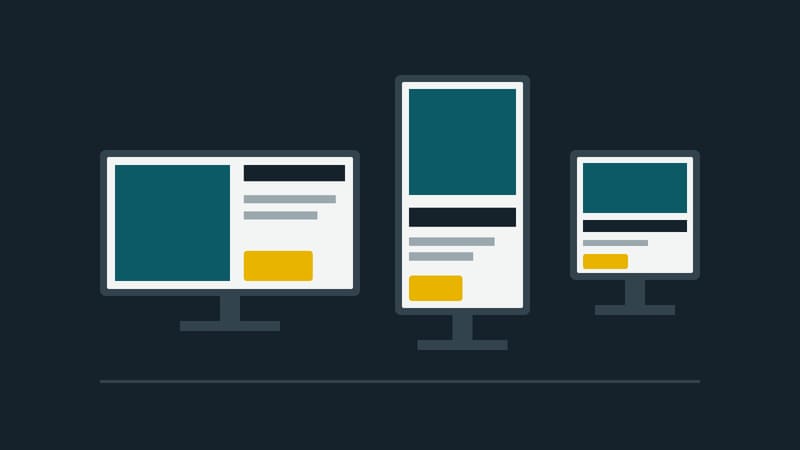
Many organisations run screens in more than one format. The totem at the entrance is portrait, the monitor at reception is landscape, and the shop window holds a square display. For whoever maintains the content this usually means three files, the same price change made three times, and three chances to forget one. The more sites there are, the more often a screen shows last week's version.
Stage Builder from Kapaso, a browser-based editor for screen content, deals with this inside the project itself. Every element remembers its position per format.
Content once, arrangement per format
A project knows the formats 16:9, 9:16 and 1:1, plus custom formats such as a narrow strip. Text, image or price are maintained once. Where the element sits and how large it is, the designer decides per format. A custom format starts with the arrangement of the standard format whose aspect ratio is closest.
There are two ways to export. "Auto (responsive)" produces a package that picks the arrangement on the screen by aspect ratio. A fixed format forces exactly that one layout.
This is less than "responsive" promises in web design. The editor does not turn a landscape layout into a portrait one on its own. A person designs the arrangement for each format, once. Only the selection is automatic.
28 element types in AIO Hub
The editor inside AIO Hub, Kapaso's digital signage CMS, offers 28 element types. The standalone version of Stage Builder has 27; it lacks the element for Power BI reports, which needs the hub. The selection includes:
- text, images, video, documents and shapes
- weather, clock, countdown, QR code and ticker
- menu board, table and tile menu
- departure board and news feed
- three calendar elements: room display, agenda and dashboard
Elements can be bound to a source such as a spreadsheet, an Excel workbook, a news feed or a calendar. When the source changes, the display changes.
Those who are not meant to design fill in templates: the designer releases fields, editors enter text and images. Permissions can be granted per user or group down to the individual element type. When a role is given access to the editor in the hub, it starts with a cautious selection of 14 element types.
"The trainee at the front desk has to be able to change a screen, not just the head of IT. That is the standard we hold the editor to."
That is how Mohammad Kabiri Hamedani, managing director of Kapaso GmbH, describes the aim.
Where the limits are
Stage Builder exports as a .wgt package, as HTML or as PNG. The .wgt packages are played by AIO Player on Android and by the Windows player WAIO; HTML runs in a browser. There is a separate export setting for older Android devices. This is not a promise for players from other manufacturers; there it depends on whether the device plays these formats.
A change does not appear on the screen the instant it is published. In AIO Hub the players check in at a fixed interval, usually between 30 seconds and 15 minutes, and fetch the new version on the next request.
The editor is available on its own, with its own user management and a gallery of 44 ready-made projects. In AIO Hub it is already included.
More information: stage-builder.com